

Have you ever spotted an N symbol near your phone’s clock and wondered about its function? This small emblem indicates a feature that can greatly boost your phone’s capabilities. Knowing what the icon signifies, its advantages, and how to activate it can enhance your day-to-day interactions with technology. Let’s explore the NFC feature, its benefits, and practical applications.
Key points to remember:
- What the N Icon Signifies: It reveals that NFC (Near Field Communication) is enabled on your device.
- Typical NFC Uses: Enables contactless payments, transit ticket validation, and sharing data between gadgets.
- Energy Consumption: NFC uses very little power, so leaving it on won’t drain your battery significantly.
- Security Measures: NFC is inherently safe due to its short distance range, with added security from authentication methods like biometrics and PINs in payment apps.
- How to Enable/Disable: Easily switch NFC on or off through settings or the quick access menu.
What does the N icon mean on your phone?
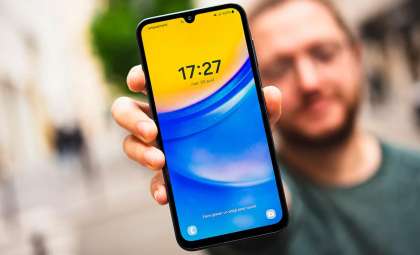
The upper area of your phone screen displays status indicators to show active functionalities. The N icon signals that NFC is currently engaged.

Practical applications of NFC
NFC functions over short distances to facilitate wireless communication. Its common uses include cashless payments, public transportation access, and instant data sharing. Holding your phone near an NFC-enabled terminal activates these features.
Contactless payments
NFC is widely used for making payments using platforms like Google Pay and Samsung Pay. Simply tap your device on a compatible payment reader to complete transactions quickly and securely.
Transit passes
Many transit systems support NFC for ticketing. You can store your electronic tickets on your phone and gain entry by tapping it on a ticket reader.
Sharing data
NFC enables quick exchange of information such as contacts, photos, or web links between two NFC-capable devices by bringing them close together.
Battery use and safety considerations
Keeping NFC enabled causes minimal battery usage since it operates on low power and doesn’t significantly reduce your device’s running time.
Security features
The short communication range of NFC makes remote hacking nearly impossible. Additional layers of security come from biometric verification or PIN authentication required by many payment services.
How to turn NFC on or off
If you don’t want NFC to always be active, you can easily toggle it as needed. Below is how to do this on different platforms:
Android devices
- Access Settings: Open your phone’s settings menu.
- Connections: Navigate to the Connections and sharing or Connected devices section (varies by device).
- Search NFC: Use the search bar within settings to find NFC quickly.
- Toggle NFC: Switch the NFC toggle on or off.
- Quick settings: Alternatively, pull down the notification panel and tap the NFC icon to enable or disable.
iOS devices
- Settings app: Open Settings.
- Wallet & Apple Pay: Go to this section in settings.
- NFC control: There’s no standalone switch for NFC since it’s integrated into these services. Manage related functionalities here.
Contrasting Android and iPhone NFC handling
Android phones display the N icon when NFC is active, offering users clear status information and control over the feature.
iPhones have NFC included from the iPhone 7 onward but do not display an icon to indicate its use. On iOS, NFC is enabled by default and works seamlessly with apps like Apple Pay without needing manual activation.
Android specifics
With an icon for NFC, Android users get a visual cue and flexibility to switch the feature on or off as desired.
iOS specifics
Apple integrates NFC quietly within the operating system, activating it only when relevant actions demand it, simplifying user interaction.
Exploring advanced NFC applications
NFC technology extends well beyond basic payment and data sharing capabilities, including:
Smart NFC tags
Programmable NFC tags can trigger customized actions. For instance, tapping a tag placed near your door could automatically silence your phone and turn off the lights.
Access management
NFC is utilized in security systems to permit authorized entry using smartphones or NFC cards in corporate or secured locations.
Internet of Things (IoT)
In IoT, NFC streamlines device pairing and configuration, making it effortless to connect smart home devices with a tap.
Mastering NFC on your phone can add convenience and security to your everyday digital activities.
- Categories:
- Tech















0 comments
Sign in to Comment